Every employee, a written plan.
Live demo · the real app
Try Leadership right here. Sample data, no sign-up.
This is the Leadership web app itself with a sample company loaded. Click around freely: nothing is saved and nothing is sent.
Open full screen ↗Runs on leadership.strasysglobal.com in demo mode.
What's inside
Pricing
Google Play list prices. The App Store shows its own price in your currency. Each HR account has its own subscription.
Frequently asked questions
Competencies and assessment
How is the competency matrix built?
Leadership starts with 16 competencies and you can go up to 25 with your own. For each title you mark every competency Essential, Important or Supportive. People are rated Basic, Advanced or Expert, shown as 1, 2 and 3.
Who does the rating?
HR can rate directly on the employee profile, or open a round: each employee gets a self-assessment form and their manager a manager form, both through single-use email links that stay valid for 30 days. The manager is picked from the employee list; for a manager outside it you type an email, and for a founder, managing director or one-person team you choose No manager: only the self-assessment goes out and calibration uses it.
Self and manager ratings differ. Which one counts?
HR decides in calibration, competency by competency: the self rating, the manager rating, the average rounded down, or a level of HR's own.
How is the readiness score calculated?
Each competency has a target level set by its priority, Essential highest and Supportive lowest. Readiness is the share of those targets the person reaches, and a level above the target does not count extra. 80% and above is Promotion Ready, 60% to 79% Core Contributor, below 60% Development Focus.
Do employees and managers need an account?
No. They only use email links and never pay. Only HR accounts sign in.
Can we assess only our high potentials?
Yes. A round can be sent only to the people marked High Potential.
Development plans
How is the development plan created?
When HR locks an assessment, each rated competency gets the training set for it at the person's level, with program, provider, hours and cost. Locking needs every competency rated, and it can be reopened.
How do we track progress?
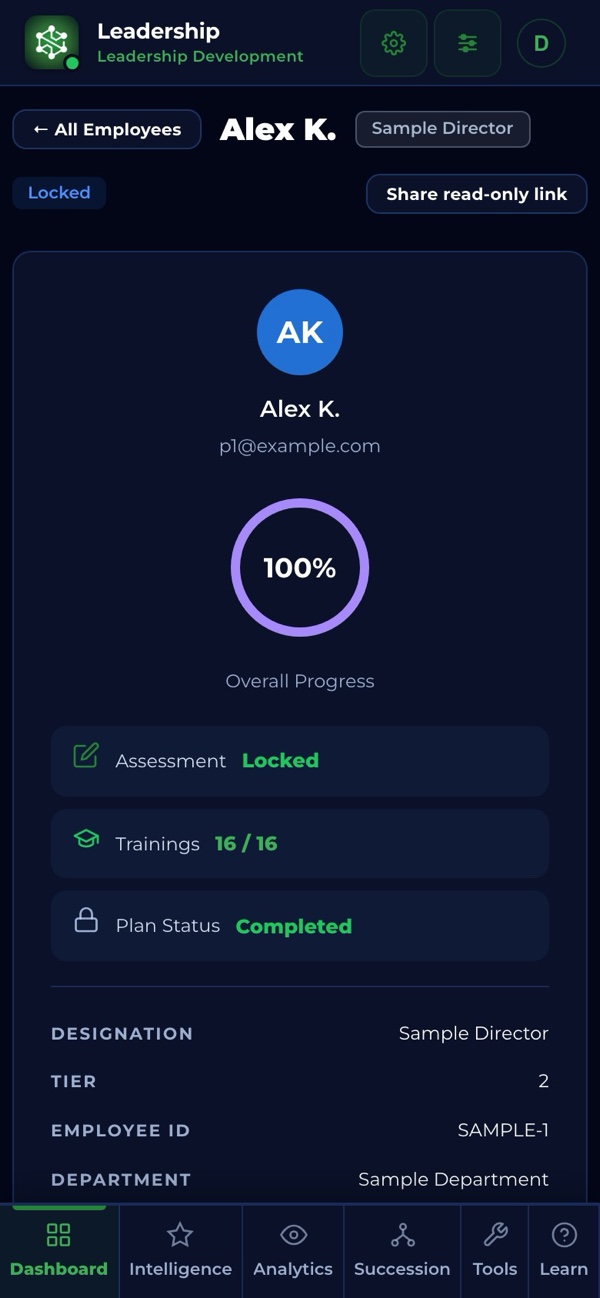
Each training is Pending Action, Assigned, Completed or Excluded, and Completed needs a certificate link. Overall progress is 40% assessment and 60% training, so you see who is behind.
Can managers update their team?
Yes. A manager gets a plan link and updates the training status of their own team, with no account.
What happens at the end of a cycle?
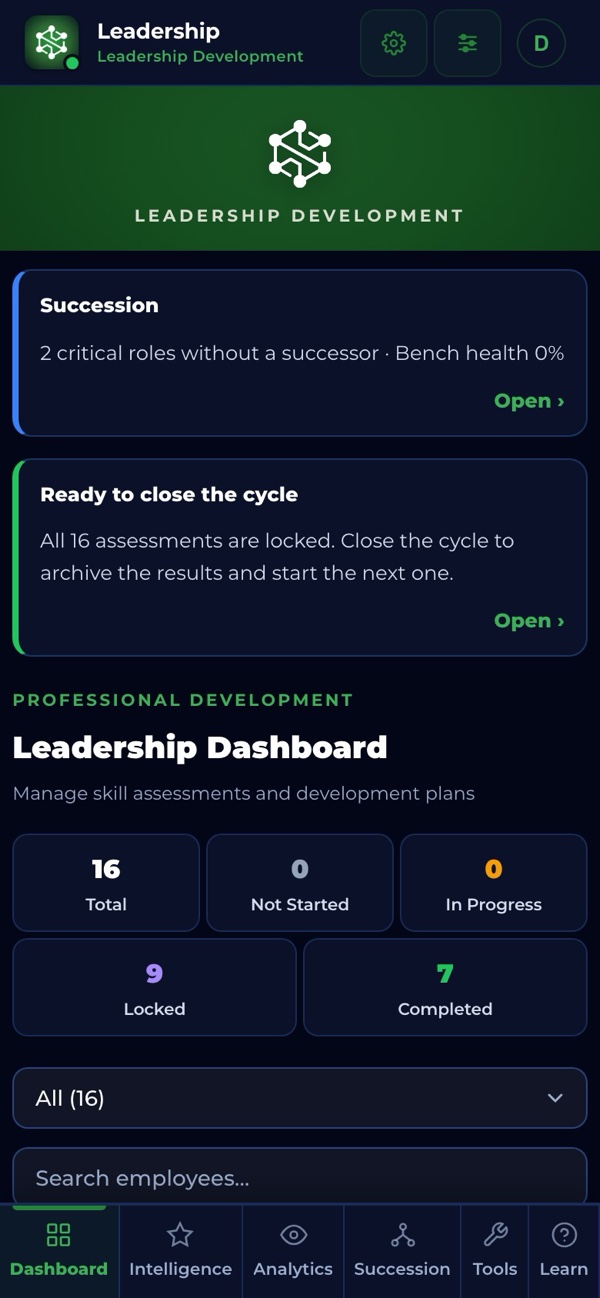
A cycle is usually a year, but it can be as long as you need and you name it. When every assessment is locked, the dashboard reminds HR that the cycle is ready to close. Closing archives assessments and training data as a snapshot, levels carry over as the next starting point, and trainings still in progress move to the new cycle.
What happens when someone leaves?
HR marks the person as left instead of deleting them: the leaving date, a reason (Resigned, Company decision, Retirement, End of contract or Other) with a detail, whether it was a regretted loss, whether they are eligible for rehire, and a short note. The record and its history stay, people who left do not count toward the 300-employee limit, and the step can be undone.
Talent review and succession
How does the 9-box place people?
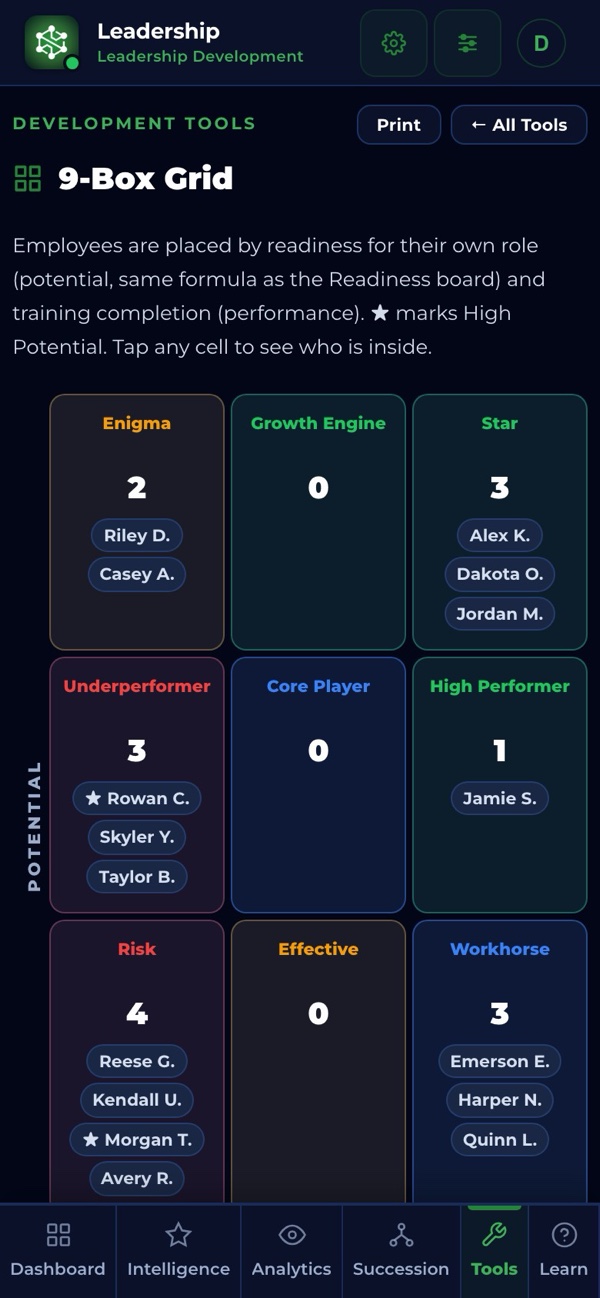
Automatically, for everyone with a locked assessment. The horizontal axis is the share of their development plan completed (bands at 40% and 70%); the vertical axis is readiness for their own role (bands at 60% and 80%). Performance here means plan completion, not a job-performance rating.
How does succession planning work?
Each title has one plan with four slots: Ready now, Acting backfill, Developing (1-2 years) and Emerging (2-3+ years). Roles at tiers 1 to 3 or held by one person are critical by default. Bench health averages the critical roles: 75 and above Healthy, 50 Stable, 25 At risk, below that Critical.
Does it warn us about weak plans?
Yes. It flags a successor when less than 60% of the target role's competencies were measured, when the review is older than 180 days, or when the same person backs up 3 or more roles.
How does the performance trend work?
Pick up to 10 closed cycles. For each person you see the readiness score of every cycle, the change from the previous cycle, the difference from their own average, the direction per cycle, and the average, highest and lowest score. The list is sorted by the latest score; people who left sit in a separate table.
Can we compare cycles side by side?
Yes, in Analytics › Cycles: the last 10 closed cycles from oldest to newest, with headcount, average promotion readiness, average competency level (1-3), Expert rate, training completion, hours and cost, leaving rate and succession bench strength, plus the change between the last two cycles. Years of history stay quick, because details load only when you open a screen.
Can we see why people leave and which leaders grow their teams?
Yes, in Analytics › Leavers & Leaders: how many left and the leaving rate, voluntary leavers, regretted losses and Promotion Ready people lost, the reasons, a breakdown by department, and two leader lists: the teams that grew most between the last two closed cycles and the teams with most leavers.
Which reports are there?
Competency Intelligence, promotion readiness, Performance Trend, Training Investment, Development ROI and the Fiscal Year Report. The Fiscal Year Report goes back to your first cycle. Reports print or save as PDF from the browser; succession plans export to CSV.
Plans, limits and data
How many people can we manage?
Up to 300 active employees, with a warning from 250; people marked as left do not count. Also 30 titles, 12 tiers, 25 competencies and 10 HR accounts.
How does pricing work with several HR users?
One subscription covers one HR account. Every invited HR account, read-only viewers included, gets its own trial and then its own subscription.
Can we import our employees?
Yes, from a CSV with 9 columns: first name, last name, email, employee ID, title, tier, department, manager email and high potential. Missing titles are created for you. Save an Excel sheet as CSV first.
Does it connect to our HR system?
Not today: there is no HRIS, SSO or SAML connection. HR accounts sign in with Google, Microsoft or Apple.
Where is our data stored and who sees it?
In the EU, separate for every company. HR Admins edit, HR Viewers only read, and every HR account sees the whole company. Deletions need a second HR admin's approval, the audit trail cannot be edited and a weekly backup runs.
Which devices and languages?
iPhone from the App Store, Android from Google Play, Windows from the Microsoft Store and the web. English and Turkish. Changes made offline sync when you reconnect.
Protected IP. Real protection.
Competency frameworks are public domain. The Competency Intelligence scoring, the Readiness for Promotion classification, the priority-tier algorithm and the Leadership source code are not. Filed under U.S. Copyright Circular 61 redacted deposit, protected at WIPO and TURKPATENT.
Built by the person who ran the operation.
20+ years in operations, 15+ in senior leadership, 10 with full P&L as GM and VP. Leadership was built for a problem he had on that desk.
About the founder →Start with Leadership today.
Pick a plan, install it on any device, or talk to us about a rollout. No call needed to get going.